Quick answer
To connect most turntables to powered speakers, the speakers need a line-level signal. If your turntable has a built-in phono preamp, set its switch to LINE and connect its RCA outputs to an input on the powered speakers.
If the turntable does not have a built-in phono preamp, connect the turntable to an external phono preamp first, then connect the phono preamp to the powered speakers. Keep the volume low when you first power on, and increase it slowly only after you hear clean sound.
In this guide
- How to tell whether your turntable needs a phono preamp
- Why powered speakers must not be connected like passive hi-fi speakers
- The correct cable order for built-in and external phono preamp setups
- How to set PHONO and LINE switches without overloading the speakers
- How to check for hum, distortion, weak sound and missing channels
- When Bluetooth is convenient and when a wired connection is better
Watch the article video
1. Understand the Three Jobs in the System
A turntable and powered speaker setup still needs three basic jobs to happen. The record is read by the stylus and cartridge, the tiny signal is prepared by a phono stage, and the speakers amplify the signal so you can hear it.
Powered speakers, also called active speakers, have amplifiers built in. That means you do not need a separate stereo amplifier to drive the speaker units.
However, powered speakers usually expect a line-level signal. Line level is the normal strength used by CD players, streamers, televisions and many headphone outputs. A bare turntable cartridge produces a much smaller phono-level signal, so it normally needs a phono preamp before it reaches the speakers.
A phono preamp does two things. It boosts the very quiet cartridge signal, and it applies RIAA equalisation, which restores the bass and treble balance used when records are cut. Without this stage, the music will sound extremely quiet, thin and lacking in bass.
Before plugging anything in, identify where the phono preamp is in your setup. It may be built into the turntable, built into the powered speakers, or supplied as a separate box.
2. Identify the Inputs and Outputs Before You Connect Anything
Start with the labels on the rear or underside of each item. Do this with everything switched off, and avoid guessing based only on cable colours.
On the turntable, look for outputs marked RCA, L/R, PHONO, LINE, AUX, USB or Bluetooth. RCA sockets are the common red and white pair, with red usually meaning right channel and white or black meaning left channel.
If there is a switch marked PHONO/LINE, it is important. LINE usually means the turntable’s built-in phono preamp is active. PHONO usually means the signal is still at cartridge level and must go into a phono preamp before it goes to normal speaker inputs.
On the powered speakers, look for inputs marked LINE, AUX, RCA, 3.5 mm, optical, coaxial, Bluetooth or PHONO. For a wired turntable connection, you will normally use RCA or 3.5 mm analogue input. Digital inputs such as optical are not suitable for a normal analogue turntable output.
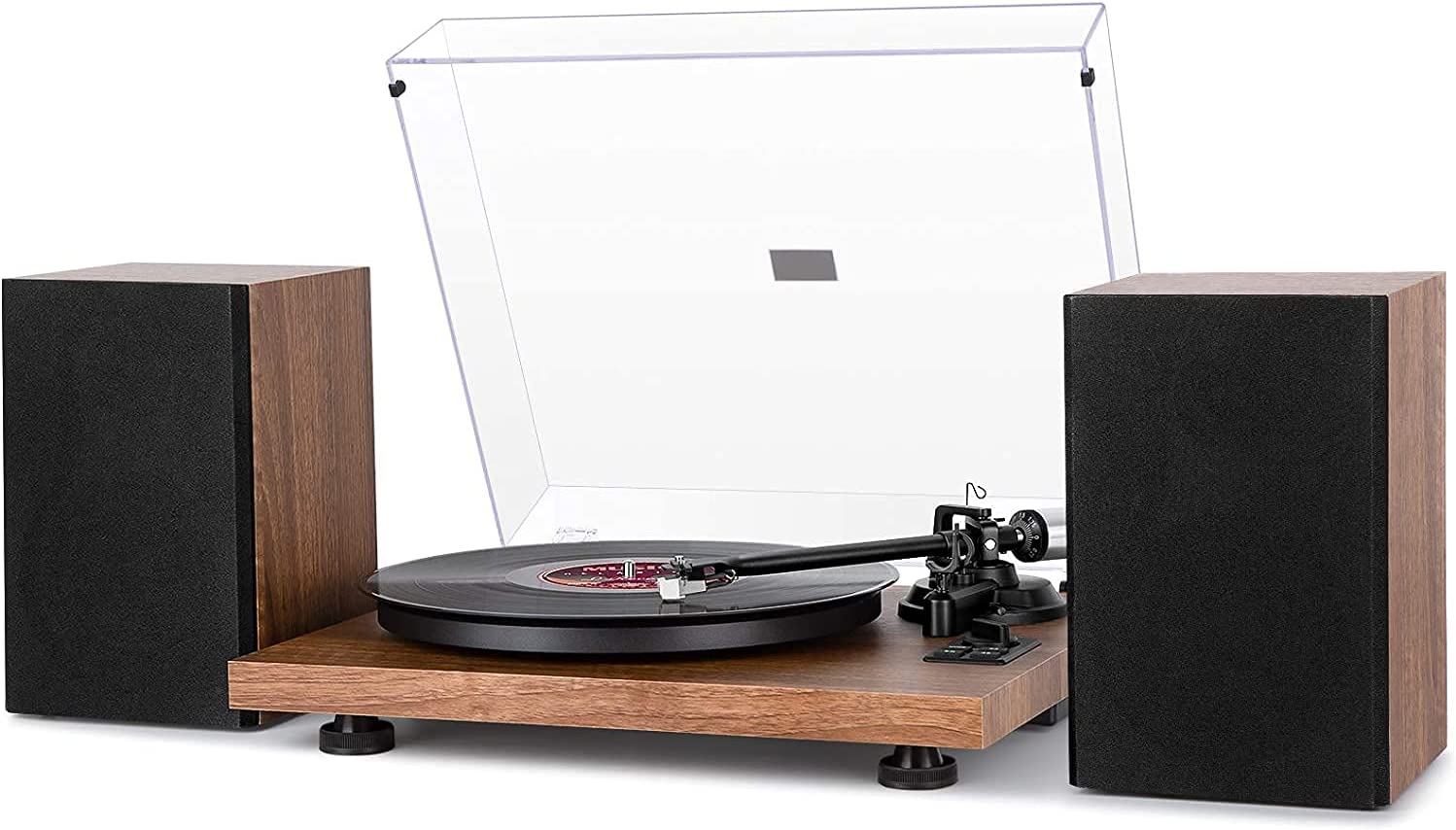
Some catalogue examples of active speaker products include Edifier R1280DB Powered Bluetooth Bookshelf Speakers and House of Marley Get Together Duo Bookshelf Speakers. The exact inputs vary by model and version, so always check the label and manual for your own speakers rather than relying on the product category alone.
Also look for a ground terminal, often marked GND. This is usually a small screw post near the phono output or phono input. A ground wire can reduce hum when using a phono-level connection.
3. Choose the Correct Connection Path
There are three common wired routes from turntable to powered speakers. The right one depends on whether the phono preamp is in the turntable, in the speakers, or in a separate unit.
Use this quick decision process before connecting:
- If the turntable has a PHONO/LINE switch and you are using a normal line input on the speakers, choose LINE on the turntable.
- If the speakers have a dedicated PHONO input, you may be able to set the turntable to PHONO and connect directly to that PHONO input.
- If neither the turntable nor the speakers has a phono preamp, use an external phono preamp between them.
- If you are unsure, start by checking the manuals and the socket labels, not by increasing volume.
The most common arrangement is turntable with built-in phono preamp into powered speakers by RCA. Many modern beginner and mid-range turntables include this option, but not all do.
A separate phono preamp can be a useful solution when the turntable is phono-only. It also lets you keep the powered speaker connection simple, because the preamp output should go to a normal line or AUX input.
Do not connect powered speakers to the speaker terminals of a traditional amplifier. Speaker terminals carry an amplified signal intended for passive speakers, and feeding that into active speakers can cause damage.
4. Connection Method A: Turntable with Built-In Phono Preamp
This is the simplest wired setup if your turntable has a working line output. You are sending an already-prepared line-level signal straight into the powered speakers.
Follow these steps:
- Switch off the turntable and the powered speakers.
- Turn the speaker volume down to minimum.
- Set the turntable switch to LINE, if it has a PHONO/LINE switch.
- Connect the RCA cable from the turntable output to an analogue input on the powered speakers.
- Match red to right and white or black to left.
- If the speakers use a 3.5 mm AUX input, use a stereo RCA-to-3.5 mm cable or adaptor.
- Select the correct input on the speakers.
- Power on the turntable first, then the powered speakers.
- Start a record and raise the volume slowly.
The first check is volume level. At a normal listening setting, the music should be clear and reasonably full, not extremely faint.
The second check is tonal balance. If the sound is thin, quiet and almost without bass, the turntable may be set to PHONO when the speakers need LINE, or the signal may be bypassing the phono preamp.
The third check is distortion. If the sound is harsh, overloaded or unpleasant even at low volume, you may have sent a line-level output into a PHONO input. Stop playback, turn the volume down, and re-check the switch and input labels.
5. Connection Method B: Turntable into an External Phono Preamp, Then Speakers
Use this method if your turntable has no built-in phono preamp, or if you prefer to use a separate phono stage. The external phono preamp sits between the turntable and the powered speakers.
Follow these steps:
- Switch everything off and turn the speaker volume down.
- Connect the turntable’s RCA output to the INPUT sockets on the phono preamp.
- Connect the turntable ground wire to the GND terminal on the phono preamp, if both are provided.
- Connect the phono preamp OUTPUT sockets to a line, AUX or RCA input on the powered speakers.
- Select the matching input on the speakers.
- Power on the turntable and phono preamp.
- Power on the speakers last.
- Play a record and raise the volume gradually.
Check that the phono preamp is connected in the right direction. Turntable cables go into the preamp input; speaker cables come from the preamp output. Reversing these will normally produce silence or very low sound.
If the phono preamp has settings for cartridge type, make sure they match your cartridge. Most common moving magnet cartridges require a moving magnet, or MM, input. Moving coil, or MC, cartridges need a different kind of gain and loading, but they are less common in simple powered speaker setups.
If you hear a steady hum, check the ground wire first. It should be secure but not overtightened, and it should connect the turntable ground point to the phono preamp ground point.
6. Connection Method C: Using a Powered Speaker with a Phono Input
Some powered speakers include a phono input. If yours does, the speaker has a phono preamp inside, and the connection can be direct from the turntable’s phono output.
Use this route only if the speaker input is clearly marked PHONO. Do not assume that an RCA input is a phono input; many RCA inputs are line-level only.
Follow these steps:
- Switch off both the turntable and speakers.
- Set the turntable to PHONO if it has a PHONO/LINE switch.
- Connect the turntable RCA outputs to the speaker input marked PHONO.
- Attach the ground wire to the speaker’s GND terminal if one is supplied.
- Select the PHONO input on the speaker.
- Turn the volume down, power on, and test with a record.
The correct result should be similar to other sources in general loudness. It may not be exactly the same volume as Bluetooth or a television input, but it should not require maximum volume to be usable.
If the sound is loud, boomy or distorted with the turntable set to LINE, change nothing while the volume is up. Stop the record, turn the speakers down, switch the turntable to PHONO, then try again.
7. Set Levels Safely and Check Each Channel
The safest way to test a new setup is to begin with low volume and a record you know well. Avoid using a valuable or badly warped record for initial checks.
A sensible first test is:
- Put the speakers on the correct input.
- Set speaker volume to low.
- Cue the stylus onto the record gently.
- Increase volume until the music is easy to hear.
- Listen for both left and right channels.
- Stop if you hear aggressive distortion, buzzing or scraping.
To check channels, use a record with a centred vocal or a familiar stereo image if possible. The singer or main instrument should not vanish from one side unless the record is mixed that way.
If only one speaker plays, swap the red and white plugs at one connection point and test again. If the missing channel moves to the other side, the issue is upstream of that point, such as the cable, turntable output or cartridge connection. If it stays on the same speaker, check the speaker input, inter-speaker cable or speaker settings.
If the powered speakers have a separate primary and secondary speaker connection, make sure the speaker-to-speaker cable is firmly connected. Many active bookshelf pairs place the amplifier in one speaker and feed the other speaker through a separate cable.
8. Reduce Hum, Buzz and Feedback
Turntable systems are more sensitive to noise than many digital sources. This is because the cartridge signal starts very small, so unwanted electrical noise can be amplified along with the music.
If you hear hum, work through the simple causes first:
- Attach the ground wire when using a phono-level connection.
- Keep audio cables away from mains power bricks and extension leads.
- Check that RCA plugs are fully inserted.
- Try a different analogue input if the speakers have more than one.
- Move the phono preamp away from power supplies and wireless routers.
A low hum that changes when you touch the tonearm or plugs often points to grounding. A harsh buzz can be caused by loose plugs, poor cable routing, or nearby electrical devices.
Acoustic feedback is different. It sounds like a low howl, rumble or swelling bass, and it happens when speaker vibration reaches the turntable and is picked up again by the stylus.
To reduce feedback, avoid placing powered speakers on the same light shelf as the turntable. Put speakers on stands, a separate surface, or isolation pads if needed. Keep the turntable level and away from the direct blast of the speaker drivers.
9. Wired Connection or Bluetooth?
Some turntables and powered speakers support Bluetooth. Catalogue examples include Bluetooth turntables such as the Audio-Technica AT-LP60XBT Turntable and Audio-Technica AT-LP70XBT Record Player, as well as powered Bluetooth speakers such as the Edifier R1280DB Powered Bluetooth Bookshelf Speakers.
Bluetooth can be convenient if cable routing is awkward. It can also be useful in a casual room where ease matters more than the most direct signal path.
For a main listening setup, a wired connection is usually the more predictable choice. It avoids pairing issues, reduces the chance of delay, and keeps the signal path easier to diagnose.
If you use Bluetooth, pair the turntable to the speakers according to both manuals. Make sure the speakers are in Bluetooth mode and not already connected to a phone or television.
Check the result by playing a record and standing near the speakers. If you hear drop-outs, check distance, obstacles and other wireless devices nearby. If the speakers connect but there is no sound, confirm that the turntable is actually transmitting audio and that the speakers are selected to Bluetooth input.
Bluetooth does not remove the need for correct turntable setup. Tracking force, stylus condition, platter speed and record cleanliness still affect what you hear.
10. Troubleshooting by Symptom
If the setup does not work first time, avoid changing several things at once. Change one item, test, then move to the next. That makes it much easier to find the fault.
No sound:
- Check that the speakers are powered on.
- Confirm the selected input.
- Check that the RCA plugs are in outputs on the turntable or phono preamp, not inputs.
- Make sure the stylus is lowered onto a spinning record.
- If using an external phono preamp, check that it has power.
Very quiet, thin sound:
- The signal may be phono-level going into a line input.
- Set the turntable to LINE if using its built-in preamp.
- Add an external phono preamp if the turntable has no line output.
- Confirm that the cartridge is connected and the stylus is seated correctly.
Loud distortion:
- A line-level signal may be going into a PHONO input.
- Turn the volume down before changing switches.
- Use either the turntable preamp or the speaker phono input, not both at once.
Hum or buzz:
- Check the ground wire.
- Reseat the RCA plugs.
- Move signal cables away from mains cables.
- Try a different power socket arrangement if safe and practical.
One channel missing:
- Check red and white plugs at each end.
- Inspect the small cartridge wires if accessible, but do not pull them.
- Test another source on the same speaker input if available.
- Swap left and right plugs to see whether the fault moves.
Skipping or mistracking is not usually caused by the powered speaker connection. Check that the turntable is level, the stylus is clean, the record is not damaged, and the tracking force is set as required by the cartridge or turntable manual.
At a glance comparison
| Turntable has LINE output; speakers have AUX, LINE or RCA input | Set the turntable to LINE and connect directly to the powered speakers. |
|---|---|
| Turntable has PHONO output only; speakers have normal line input | Use an external phono preamp between the turntable and powered speakers. |
| Turntable has PHONO output; speakers have PHONO input | Connect directly to the speaker PHONO input and attach the ground wire if provided. |
| Turntable has Bluetooth; speakers have Bluetooth | Pair wirelessly if convenience matters, but use a wired connection for easier troubleshooting and steadier performance. |
| Traditional amplifier speaker terminals available | Do not connect these to powered speaker inputs; they are intended for passive speakers. |
Frequently asked questions
Can I plug a turntable straight into powered speakers?
Yes, but only if the powered speakers receive the correct signal. Use the turntable’s LINE output if it has a built-in phono preamp, or use the speaker’s PHONO input if it has one. If neither applies, you need an external phono preamp between the turntable and speakers.
What happens if I choose the wrong PHONO or LINE setting?
If you send PHONO into a normal line input, the music will usually be very quiet and thin. If you send LINE into a PHONO input, it may sound loud, distorted and unpleasant. Turn the volume down before changing the switch.
Do powered speakers need an amplifier as well?
No. Powered speakers already have amplification built in. You may need a phono preamp, but that is not the same as a power amplifier; it prepares the turntable signal rather than driving passive speakers.
Do I always need to connect the ground wire?
Not always. Ground wires are most important with phono-level connections, such as a turntable into an external phono preamp or a speaker PHONO input. Some line-level turntables do not require a separate ground connection.
Can I use a 3.5 mm AUX input on powered speakers?
Yes, if the signal going into it is line level. Use an RCA-to-3.5 mm stereo cable from the turntable’s LINE output or from the output of an external phono preamp. Do not feed a bare phono-level signal into AUX and expect normal volume.
Why is my turntable quieter than Bluetooth or TV audio?
Some difference in level is normal between sources. However, if you need maximum volume and the sound is still thin, the phono preamp stage is probably missing or bypassed. Check the PHONO/LINE switch and the input you are using.
Will Bluetooth sound worse than a cable?
Bluetooth can work well for casual listening, but it adds wireless transmission and pairing behaviour to the chain. A wired connection is usually simpler, more stable and easier to fault-find, especially when setting up a turntable for the first time.
Should the speakers sit beside the turntable?
They can sit nearby, but avoid putting them on the same light or resonant surface as the turntable. Speaker vibration can travel back into the stylus and cause rumble, feedback or skipping. A separate shelf or speaker stands are usually better.
Final thoughts
Connecting a turntable to powered speakers is straightforward once you identify the signal level. The key question is whether the powered speakers are receiving line level, or whether the turntable still needs a phono preamp.
Work in order: read the labels, choose the correct signal path, connect with everything switched off, start at low volume, then check for clean sound from both channels. If something sounds wrong, diagnose by symptom rather than changing cables and switches at random.
Your next useful step is to read a guide to PHONO versus LINE outputs or a beginner guide to phono preamps. That will make future upgrades, troubleshooting and speaker choices much easier to understand.