Watch the guide video
Quick answer
Keep the stylus clean, keep records dust-free, store records upright in inner sleeves, and make sure the turntable is level and correctly set up. Most owners only need a few minutes of routine care before and after listening, plus a more careful check every few months.
Avoid alcohol on the stylus unless the cartridge maker explicitly allows it, never use household cleaners on records, and do not dismantle electrical parts. If you hear distortion, skipping, hum, speed instability or scraping, stop and check the basics before playing valuable records.
Key Takeaways
Good maintenance is mostly about preventing dirt, bad alignment and poor handling from causing gradual damage. You do not need specialist tools for every task, but you do need consistency.
- Brush the record before each play with a suitable carbon fibre or anti-static record brush.
- Clean the stylus regularly with a proper stylus brush, moving from back to front only.
- Store records upright, cool, dry and away from direct sunlight.
- Keep the dust cover closed when the deck is not in use, but consider leaving it open or removed during playback if it causes vibration or acoustic feedback.
- Check tracking force, anti-skate and turntable level whenever the deck is moved.
- Replace the stylus before it is badly worn, following the cartridge maker’s guidance.
The most important warning is simple: do not play dirty or damaged records with a dirty stylus. That combination can increase groove wear and make small problems much harder to reverse.
What You Will Need
A basic maintenance kit should be simple and safe. Avoid aggressive fluids and miracle gadgets until you understand what they do and whether they suit your cartridge, records and turntable finish.
- Carbon fibre or anti-static record brush for dry dust removal.
- Stylus brush designed for cartridge tips.
- Soft microfibre cloth for the plinth, dust cover and exterior surfaces.
- Record cleaning solution made for vinyl, not general household cleaner.
- Record cleaning pad, manual record washer or vacuum record cleaner for deeper cleaning.
- Fresh anti-static inner sleeves for records that came in rough paper sleeves.
- Small spirit level or turntable setup level.
- Stylus tracking force gauge, if your tonearm allows adjustment.
A belt-drive turntable may also need a replacement belt from time to time. Only use a belt intended for your model or specified size, as the wrong belt can affect speed and strain the motor.
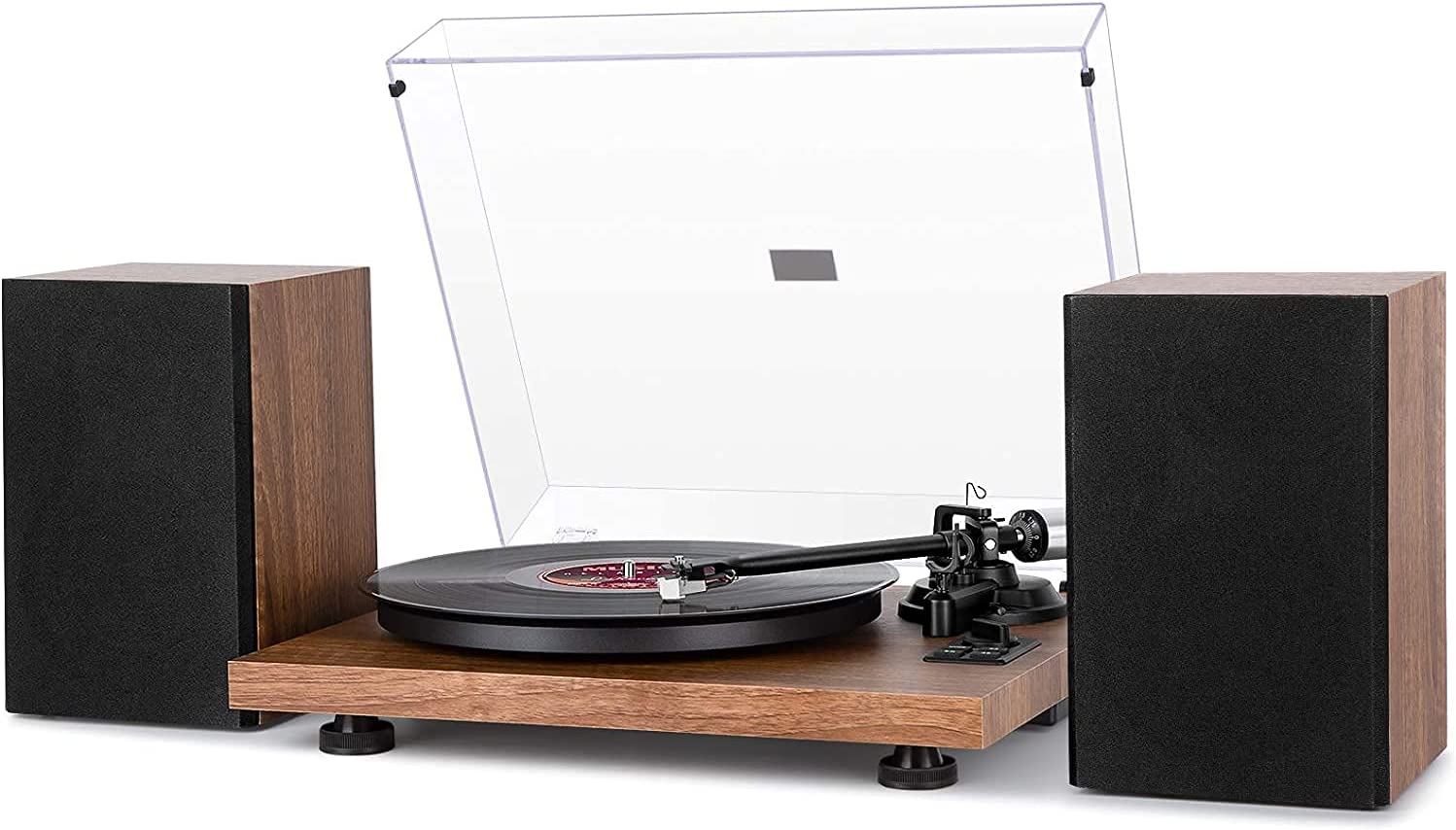
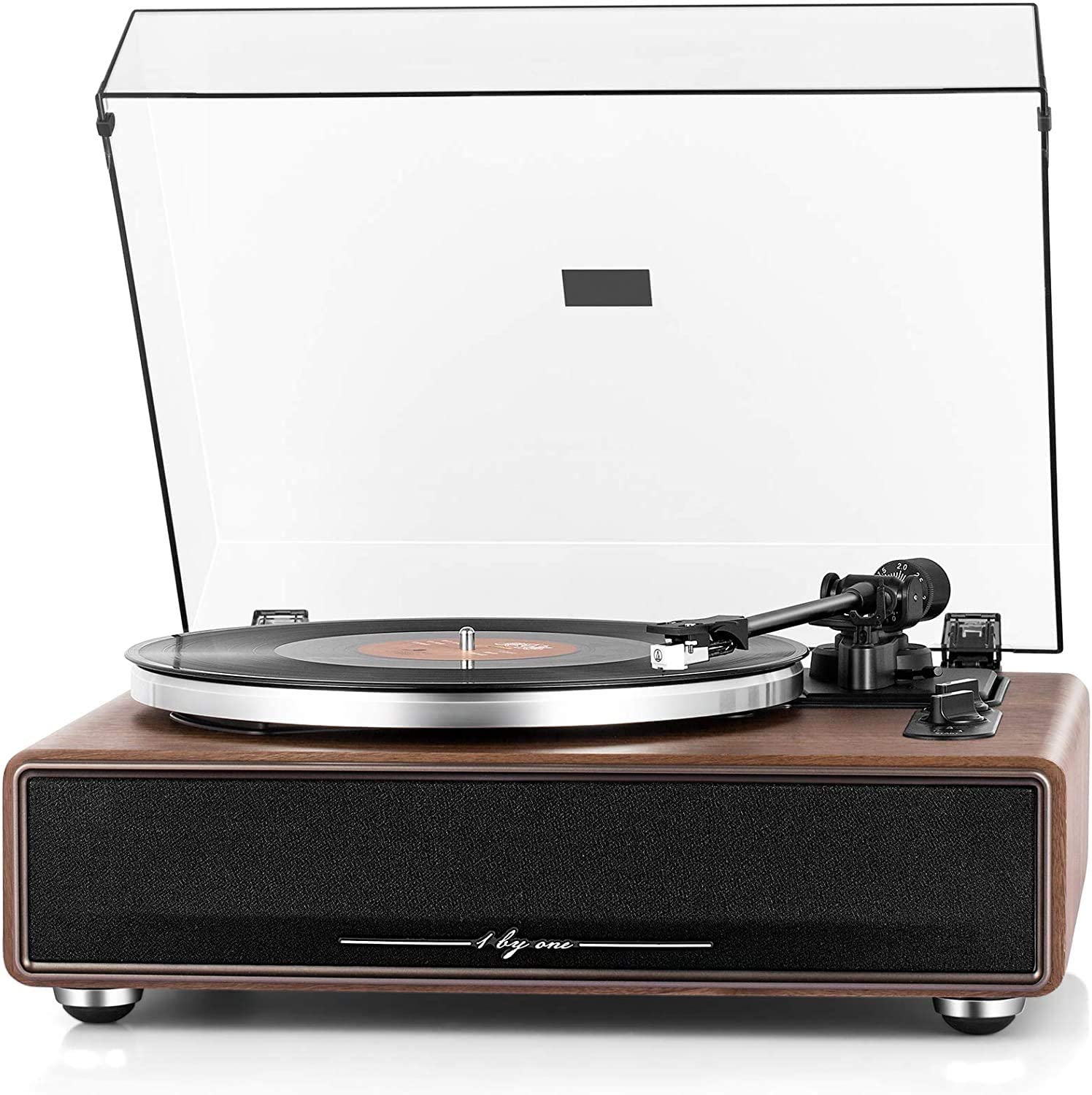
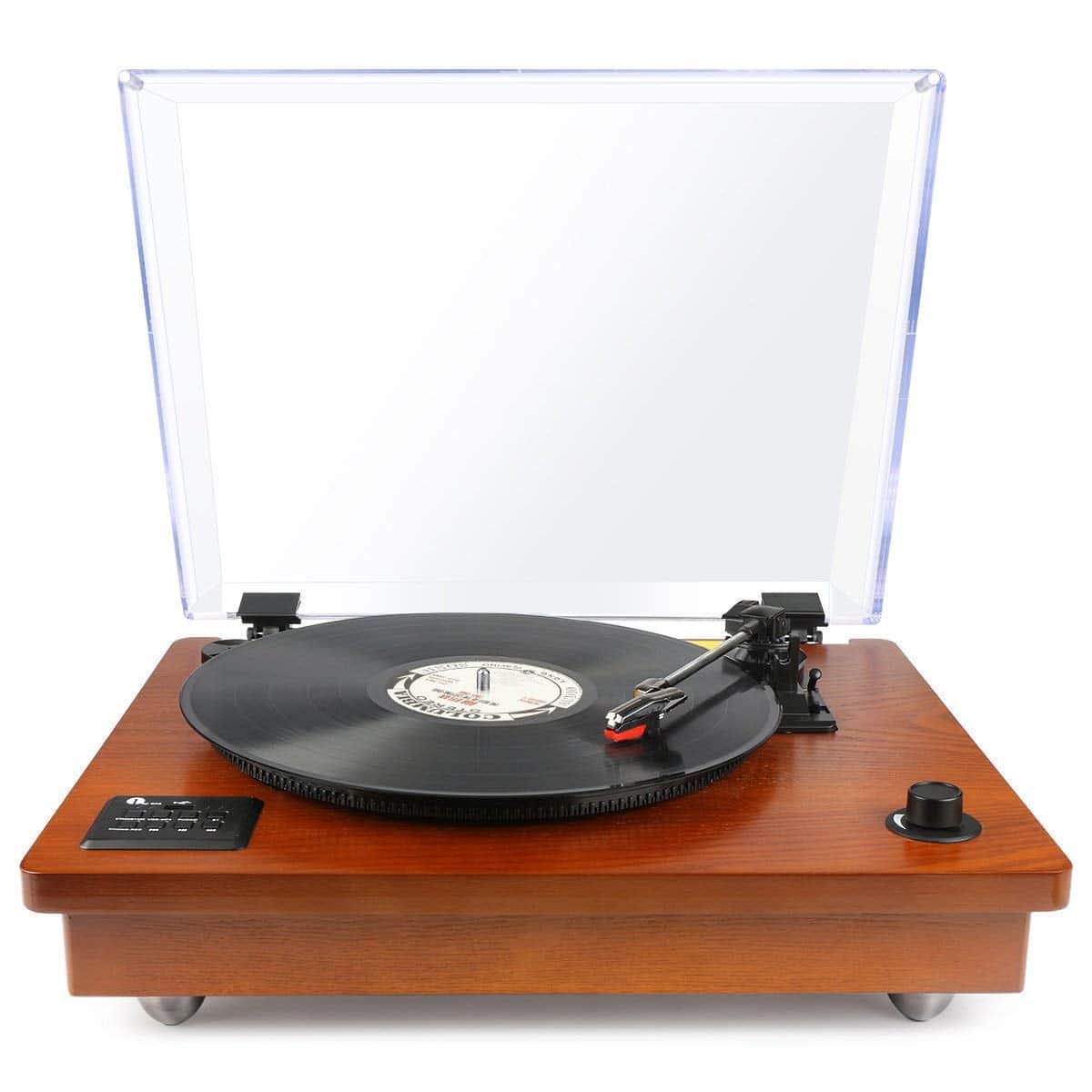
For decks with built-in features, such as Bluetooth, USB output or automatic operation, keep the original manual if you have it. Models such as the Sony PS-LX310BT, Audio-Technica AT-LP120USBHCBK or Denon DP-300F have different controls and setup points, so maintenance should follow the design you actually own.
Before You Start: Know Your Turntable
Turntables are not all maintained in exactly the same way. A manual belt-drive deck, a direct-drive DJ-style deck, an automatic turntable and a suitcase-style player can have very different adjustment options.
Check whether your turntable has these features:
- Adjustable tracking force, usually set with a counterweight at the back of the tonearm.
- Anti-skate, which applies a small outward force to help the stylus sit evenly in the groove.
- Replaceable cartridge or stylus assembly.
- Removable headshell, common on some S-shaped tonearms.
- Belt-drive or direct-drive motor system.
- Built-in phono stage, Bluetooth output, USB recording or automatic arm movement.
Tracking force means the downward pressure of the stylus on the record. Too little can cause mistracking and groove damage, while too much can increase wear.
Anti-skate is not a sound effect or a tone control. It is a mechanical adjustment that helps the stylus avoid pressing too hard on one side of the groove.
If your turntable has no adjustable tracking force, do not improvise with coins, weights or tape. That is a common way to damage records and strain the tonearm.
Routine Care
Routine care should happen before and after listening. It is quick, low-risk and more effective than trying to rescue records after months of dust, fingerprints and stylus build-up.
Before playing a record:
- Wash and dry your hands, or handle the record only by the edges and labelled centre.
- Check that the platter mat is clean and flat.
- Brush the record surface while it rotates, using light pressure.
- Inspect the stylus for visible fluff or dust.
- Lower the tonearm gently using the cueing lever where available.
After playing a record:
- Return the record to its inner sleeve as soon as possible.
- Put the sleeved record back into the outer sleeve with the opening facing upwards or sideways, not exposed to dust.
- Close the dust cover when the turntable is not in use.
- Turn off powered speakers, amplifier or active outputs in a sensible order to avoid loud pops.
Step-by-Step Maintenance
Use this routine when your turntable needs a proper check, after moving it, or when sound quality has gradually become worse. Work slowly and do not force any part that resists movement.
- Power down the system and remove the record from the platter.
- Unplug the turntable from the mains if you are cleaning around sockets, cables or the rear panel.
- Wipe the plinth and dust cover with a dry or slightly damp microfibre cloth.
- Clean the platter mat according to its material, using only mild methods.
- Check that the turntable sits level from side to side and front to back.
- Inspect the stylus under good light, without touching the cantilever.
- Brush the stylus from back to front only, following the direction a record moves past the stylus.
- Check tracking force if your tonearm has an adjustable counterweight.
- Check anti-skate if your deck provides the adjustment.
- Check cables are seated firmly, with no tight bends or strain.
- Play a clean, familiar record at moderate volume and listen for mistracking, hum, speed wobble or channel imbalance.
The cantilever is the tiny arm that holds the stylus tip. It is delicate, so never brush sideways or front to back against the normal direction.
If the turntable has automatic start and return, test it with a record you can afford to risk rather than a rare pressing. Stop immediately if the stylus drops outside the lead-in groove or lands too heavily.
If you own a belt-drive model, lift the platter only if the manual explains how to do it safely. Some platters pull straight up, while others need a different method, and forcing them can cause damage.
Cleaning Vinyl Records Safely
Dry brushing removes loose dust, but it does not remove oily fingerprints, old residue or grime trapped in the grooves. For dirty records, use a proper wet-cleaning method designed for vinyl.
A safe manual cleaning process is usually:
- Remove loose dust with a record brush.
- Apply vinyl record cleaning fluid sparingly, avoiding the paper label unless the product specifically says it is safe.
- Follow the groove direction with a suitable pad or brush.
- Remove the fluid fully, using a clean pad, manual washer system or record vacuum if available.
- Let the record dry completely before playing or sleeving.
- Replace dirty paper inner sleeves with clean anti-static sleeves.
Never play a record while it is wet unless the cleaning system explicitly instructs it, and even then be cautious. Wet playback can leave residue on the stylus and may create long-term problems if the fluid is not appropriate.
Avoid these substances on records:
- Washing-up liquid with fragrances, dyes or skin-softening additives.
- Window cleaner, kitchen spray or bathroom cleaner.
- Neat alcohol or strong solvent mixtures.
- Tap water as a final rinse in hard-water areas.
- Wood glue, unless you fully understand the risks and accept that mistakes can ruin a record.
Stylus, Cartridge and Tonearm Care
The stylus is the part that physically touches the groove, so it deserves careful treatment. A worn, chipped or dirty stylus can damage records even if the rest of the turntable is working well.
Clean the stylus little and often rather than waiting for a visible lump of dust. Use a stylus brush from the rear of the cartridge towards the front, which follows the safe direction of travel.
Avoid dipping the stylus into unapproved liquids. Some cleaning fluids can loosen adhesives or affect delicate suspension parts, and cartridge makers do not all give the same advice.
If your cartridge has a replaceable stylus, replace it according to the maker’s expected lifespan or sooner if you hear persistent distortion on clean records. Inner-groove distortion, where the final tracks on a side sound rough or congested, can be a warning sign.
If you change a cartridge, alignment matters. Cartridge alignment means setting the position and angle so the stylus follows the groove with as little tracking error as practical.
A misaligned cartridge may still make sound, but it can increase distortion and wear. Use the correct alignment tool for your tonearm or ask a dealer or technician if you are unsure.
Belt, Platter and Speed Maintenance
Speed stability affects pitch, timing and general listening comfort. If piano notes waver, vocals sound slightly seasick, or records seem consistently sharp or flat, check the drive system.
For belt-drive turntables, the belt can stretch, glaze or slip over time. Symptoms include slow start-up, unstable speed, or a platter that needs help to begin turning.
A sensible belt check is:
- Switch off and unplug the turntable.
- Remove the platter only if the design allows it and you know the correct method.
- Inspect the belt for cracks, stickiness, shine or looseness.
- Clean belt-contact surfaces only as recommended by the manufacturer.
- Fit the correct replacement belt if the old one is clearly worn.
- Recheck speed using a suitable strobe disc or speed app as a rough guide.
Phone speed apps can be useful for spotting obvious problems, but they are not perfect laboratory tools. Use them as a guide, especially if the phone is not centred or adds weight to a lightweight platter.
Direct-drive turntables do not have belts, but they still need clean controls and a stable surface. Do not spray cleaner into pitch controls, switches or vents, as liquid can reach electrical parts.
Maintenance Schedule
A realistic schedule is better than an ambitious one you will not keep. Adjust the frequency if you play records daily, buy lots of used vinyl, or live in a dusty room.
Before every listening session:
- Brush each record before play.
- Check the stylus for dust.
- Make sure the platter mat is clear of grit.
- Use the cueing lever rather than dropping the tonearm by hand.
After every listening session:
- Sleeve records promptly.
- Close the dust cover.
- Turn off the system safely.
- Keep records away from heat sources and sunlight.
Weekly, for regular listeners:
- Wipe the dust cover and plinth with a soft cloth.
- Clean the stylus with a proper stylus brush.
- Check that records are not leaning heavily on the shelf.
- Inspect frequently played records for fingerprints or visible dust.
Monthly:
- Check turntable level.
- Check cable strain and speaker placement.
- Clean any used records bought during the month before serious listening.
- Check that the tonearm cueing action lowers smoothly.
Every three to six months:
- Check tracking force if adjustable.
- Check anti-skate if adjustable.
- Inspect the belt on belt-drive models if speed seems unstable.
- Review stylus hours if you keep a listening log.
Yearly:
- Consider replacing a heavily used stylus if it is near the maker’s suggested limit.
- Inspect outer and inner sleeves, replacing dirty or split ones.
- Recheck cartridge alignment if the cartridge has been knocked or changed.
- Clean shelves, storage cubes and the area around the turntable.
Common Mistakes
Many maintenance problems come from well-meant shortcuts. Vinyl is robust enough for normal use, but it is not forgiving of grit, heat or rough handling.
Avoid these damaging habits:
- Touching the playing surface with bare fingers.
- Stacking records horizontally for long periods.
- Leaving records on the platter after listening.
- Using coins or improvised weights to stop skipping.
- Cleaning records with household sprays.
- Brushing the stylus sideways.
- Playing records with a visibly bent or damaged stylus.
- Forcing a platter, headshell or cartridge part that does not move freely.
Skipping is not fixed by adding more weight unless the tracking force was genuinely set too low and can be adjusted properly. A skip may come from dirt, record damage, poor levelling, wrong anti-skate, footfall vibration or a worn stylus.
Do not use heat to flatten warped records at home unless you are using a purpose-made record flattener and understand the risk. Ovens, radiators, hairdryers and hot windowsills can permanently ruin vinyl.
Do not open the turntable to repair mains wiring, internal power supplies or motor electronics. If there is a burning smell, repeated fuse issue, liquid spill or exposed wiring, stop using it and seek professional help.
Troubleshooting Care-Related Problems
If something sounds wrong, start with the simplest checks. Many faults that seem serious are caused by dust, poor setup or a loose connection.
If you hear excessive crackle:
- Try a clean record you know well.
- Brush the stylus.
- Wet-clean the noisy record if it is dirty.
- Check whether the noise is in one channel or both.
- Inspect the record under strong light for scratches or groove damage.
If the record skips:
- Check the turntable is level.
- Check the record is not warped at the skip point.
- Clean the record and stylus.
- Confirm tracking force is correct if adjustable.
- Check anti-skate is not set far too high.
- Try the record on another turntable if possible.
If you hear hum:
- Check the ground wire if your turntable uses one.
- Move signal cables away from mains adapters and power blocks.
- Confirm you are using the correct phono or line input.
- Avoid running turntable cables tightly alongside speaker power cables.
If the sound is distorted:
- Lower the volume and check whether the distortion remains.
- Clean the stylus.
- Try a different clean record.
- Check tracking force and cartridge alignment if adjustable.
- Replace the stylus if it is old, damaged or unknown.
A turntable with built-in speakers can suffer from feedback if played loudly, because the speakers vibrate the same cabinet as the stylus. Reducing volume, using external speakers or placing the deck on a more stable surface can help.
When Professional Help Is Sensible
Some maintenance jobs are suitable for a careful owner. Others are better handled by a dealer, repairer or experienced technician, especially if the turntable is valuable or the fault could damage records.
Professional help is sensible when:
- The stylus or cantilever is bent.
- The tonearm bearings feel loose, gritty or stuck.
- The automatic mechanism drops the arm in the wrong place.
- There is persistent hum after basic cable and grounding checks.
- Speed is unstable after a belt change and basic cleaning.
- The cartridge needs fitting but you do not have the tools or confidence.
- There are signs of electrical damage, overheating, liquid ingress or exposed wiring.
Do not keep testing a faulty deck with valuable records. Use a less important record for checks, and stop if the stylus scrapes, jumps violently or lands unpredictably.
For older or higher-end turntables, a professional setup can be worthwhile after transport. Tonearm geometry, cartridge alignment and bearing condition are easy to underestimate and can affect both sound and record wear.
Frequently asked questions
How often should I clean my stylus?
For regular listening, a light stylus brush every few sessions is sensible, and more often if you play dusty second-hand records. If you see fluff on the stylus, clean it before playing another side.
Always brush from back to front. Do not scrub sideways or use liquid unless the cartridge manufacturer says it is safe.
Is a carbon fibre brush enough to clean records?
A carbon fibre brush is good for loose surface dust before playback. It is not enough for fingerprints, smoke residue, mould, dried cleaning fluid or dirt lodged in the grooves.
For used or visibly dirty records, use a proper wet-cleaning method and let the record dry fully before playing.
Should I leave the dust cover open or closed while playing records?
There is no single rule for every turntable and room. A closed dust cover keeps falling dust away, but it can also pick up vibration or act like a resonating panel on some setups.
If you hear feedback, boominess or acoustic ringing at higher volumes, try playing with the cover open or removed if the design allows it. Keep it closed when the deck is not in use.
Can I clean vinyl records with alcohol?
Some record cleaning fluids contain controlled amounts of alcohol, but neat alcohol or strong homemade mixtures are risky. They can affect some record compounds, labels and cleaning residues if used carelessly.
For most owners, a ready-made vinyl cleaning solution is the safer choice. Avoid alcohol completely on shellac 78s, which are not the same material as modern vinyl LPs.
How do I know when my stylus needs replacing?
Warning signs include persistent distortion, increased sibilance, rough inner tracks, visible damage, or a stylus with unknown history. If you bought a used turntable, assume the stylus may need replacement unless there is reliable evidence otherwise.
Stylus life varies by stylus type, tracking force, record cleanliness and usage. Follow the cartridge maker’s guidance and keep a rough note of listening hours if you play records often.
Do new records need cleaning before first play?
New records can still carry paper dust, static or pressing residue. A dry brush before first play is a good habit.
If a new record is noisy after brushing and the stylus is clean, a proper wet clean may help. If the noise is caused by a pressing fault, cleaning will not fix it.
What is the safest way to store records long term?
Store records upright, like books, with enough support to stop them leaning sharply. Keep them away from radiators, direct sunlight, damp walls, loft heat and heavy pressure.
Use clean inner sleeves and avoid overstuffing shelves. Tight storage can split sleeves and make records harder to remove without scuffing.
Can maintenance fix every noisy record?
No. Cleaning can remove dust, residue and some groove contamination, but it cannot repair scratches, groove wear or poor pressings.
If a record remains noisy after careful cleaning and plays badly on more than one turntable, the damage is probably in the record rather than your setup.
Final recommendation
Start with a small, repeatable routine: brush records before play, clean the stylus gently, sleeve records promptly, and keep the turntable level and dust-free. Those habits prevent most avoidable wear.
Then add occasional checks for tracking force, anti-skate, belt condition and cable placement. If you move the turntable, change the cartridge, buy a used deck or notice distortion, treat it as a prompt to inspect the setup before playing favourite records.
The best maintenance approach is calm and conservative. Use the right tools, avoid harsh shortcuts, and ask for professional help when a fault involves electrical parts, tonearm bearings or uncertain cartridge setup.